 7 min read
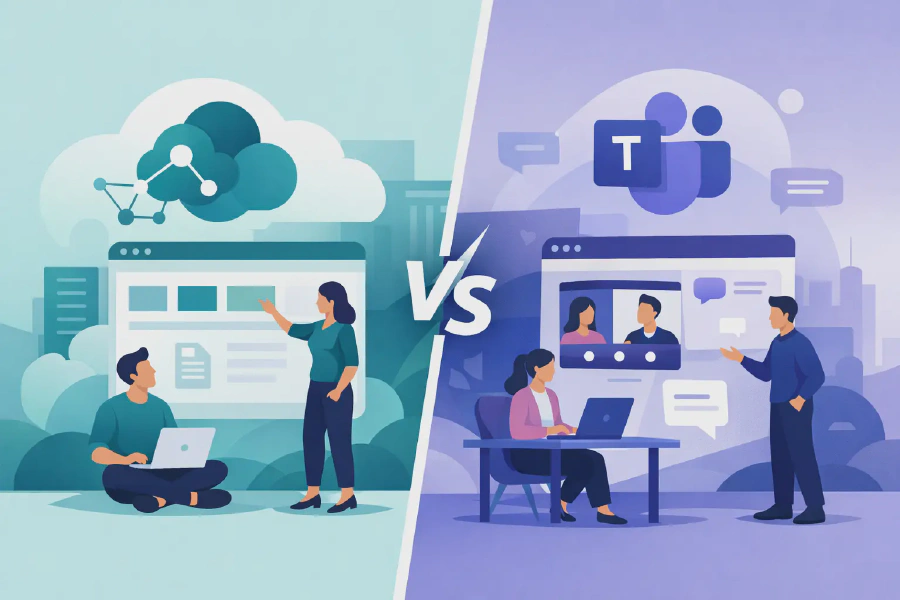
SharePoint vs Teams intranet - Which fits?
A SharePoint vs Teams intranet decision is rarely about choosing one Microsoft product over another. For most organisations, the real question is where people should find authoritative information, where they should work together on active tasks, and how both experiences can be governed without creating duplicate content.
Teams is where work happens in the moment. SharePoint is where organisational knowledge, documents, policies and communications can be structured for the long term. Treating either platform as a complete replacement for the other often leads to scattered files, unread news and an intranet that staff stop trusting.
SharePoint vs Teams intranet: the practical distinction
SharePoint Online is Microsoft 365’s content and information management foundation. It provides communication sites, document libraries, pages, news, metadata, search, permissions and retention capabilities. A well-designed SharePoint intranet gives employees a dependable place to find company-wide information, from HR policies and service directories to leadership updates, procedures and departmental resources.
Microsoft Teams is a collaboration workspace built around conversations, meetings, channels and shared work. Every standard Team is connected to a SharePoint site in the background, which is where its channel files are stored. This relationship matters: Teams makes SharePoint content easy for a working group to access, but it does not automatically turn that content into a well-managed intranet.
An intranet needs clear ownership, consistent navigation, reliable search and publishing controls. It must work for someone looking for a current leave policy just as well as it works for a project team co-authoring a proposal. Teams excels at the second scenario. SharePoint is usually the stronger choice for the first.
When SharePoint should lead
SharePoint should be the primary intranet platform when information needs to be published broadly, maintained by designated owners and found by people outside a particular project or department. Communication sites are designed for this purpose. They allow internal communications and business teams to create branded, audience-targeted pages without giving every reader the ability to edit the content.
This is particularly valuable in regulated or distributed organisations. A healthcare provider may need one definitive clinical procedure hub. An education provider may need staff to locate current student support processes quickly. A financial services team may need policies to have clear owners, review dates and acknowledgement records. These requirements are difficult to manage when critical material is spread through channel posts and private Team folders.
SharePoint also provides the better foundation for information architecture. Hub sites can bring related sites together under common navigation and search. Managed metadata can classify documents beyond a folder name. Page templates can make departmental publishing more consistent. These decisions may seem administrative at first, but they have a direct effect on employee confidence and on the quality of information available to Microsoft Copilot.
When Teams should lead
Teams should lead when the priority is active collaboration among a defined group. A project delivery team, operational shift group or client service team needs fast discussions, meetings, shared task management and working documents close to the conversation. In these settings, asking users to leave Teams and visit a traditional intranet page for every interaction adds friction.
Teams can also be an effective front door for intranet content. SharePoint pages, document libraries and lists can be added as tabs within Teams, while Viva Connections can surface a SharePoint-based employee experience inside the Teams mobile and desktop environment. This gives staff a familiar place to access news and resources without confusing collaboration spaces with formal publishing spaces.
The distinction is one of purpose. A Team is generally owned by the people doing the work. An intranet is owned by the business functions responsible for keeping organisational information accurate. A document may appear in both places, but there should be one recognised source of truth.
Choosing between a SharePoint and Teams intranet
The best approach depends on how your workforce operates, not on which application has the highest usage figures. Many organisations call Teams their intranet because it is open all day on every employee’s laptop. That can be practical for access, but it does not remove the need for a deliberate SharePoint content structure behind it.
Start by looking at the information your people need most often. If it is formal, organisation-wide and subject to regular review, publish and manage it in SharePoint. If it changes daily through discussion, shared decisions and meetings, manage the working process in Teams. Then make the authoritative SharePoint content visible in Teams where that helps adoption.
Four questions usually clarify the architecture:
- Who owns the content and is accountable for keeping it current?
- Is the audience a project group, a department or the whole organisation?
- Does the content need formal approval, version control, retention or staff acknowledgement?
- Should users be able to discuss and edit it freely, or primarily read and act on it?
For example, a project plan can live in a Team because its contributors need to edit it together. The approved project methodology should sit on the SharePoint intranet, where every project manager can locate the same current version. A Team may link to that methodology, but it should not host a separate local copy that can drift out of date.
The governance issue many intranets miss
A common failure is creating hundreds of Teams with inconsistent names, unclear owners and no lifecycle process. The associated SharePoint sites then become an unplanned collection of document stores. Search results become noisy, permissions are difficult to review and people save files in the location that feels most convenient rather than the location that makes business sense.
Good governance does not mean restricting every new Team. It means setting sensible guardrails: naming conventions, owner requirements, sensitivity labels, retention rules, external sharing controls and a process for archiving inactive workspaces. It also means defining which sites are approved sources for enterprise content.
This is especially relevant for organisations preparing for Copilot. AI responses are only as useful as the information a user is permitted to access and the information your organisation has organised well. A poorly governed workspace can expose irrelevant, duplicate or outdated content in search and AI-assisted work. Clear SharePoint information architecture and Teams lifecycle management are practical AI readiness measures, not separate IT housekeeping tasks.
Compliance needs more than a published page
Publishing a policy on SharePoint does not prove that the right people have seen or understood it. For safety procedures, code-of-conduct updates and regulated operating instructions, organisations may need evidence of acknowledgement and a way to follow up with non-responders.
This is where a SharePoint-led intranet can support a stronger compliance process. Content can have nominated owners, review cycles and controlled publishing. A solution such as Compliance Tracker 365 can add visibility over who has been asked to read important documents or pages, who has acknowledged them and where action is still required. Teams can be used to notify staff or prompt managers, while SharePoint remains the governed home for the content and records.
The right level of control depends on the document. Not every news post needs a formal acknowledgement workflow. Applying compliance controls selectively keeps the employee experience practical while giving high-risk content the attention it deserves.
A better model: SharePoint as the foundation, Teams as the workspace
For most mid-market and enterprise environments, the strongest model is not SharePoint versus Teams. It is SharePoint as the governed content foundation, with Teams as the collaboration layer and, where useful, an access point for intranet content.
A typical arrangement might include a SharePoint communication site for corporate news and policies, hub-connected departmental sites for specialist information, and Teams for projects, service delivery and local collaboration. Employees can reach key intranet resources in Teams, but the publishing team retains control over the official page, document and navigation experience.
This model also respects different employee needs. Frontline staff may prefer concise mobile-friendly pages surfaced in Teams. Corporate staff may use SharePoint search and navigation directly. Managers may need team-specific workspaces as well as an organisation-wide source for approved procedures. One platform architecture can support all three without asking one tool to do every job.
Build around behaviour, not product labels
The most useful intranet is not the one with the most features. It is the one employees can trust when they need an answer, and that content owners can maintain without constant IT intervention. Start with your highest-value journeys: finding a policy, onboarding a new staff member, locating a service, submitting a request or collaborating on a live initiative.
From there, assign each journey to the right Microsoft 365 experience and establish ownership before migration begins. When SharePoint and Teams are designed as connected parts of the workplace rather than competing destinations, staff spend less time hunting for information and more time using it with confidence.