 8 min read
How to standardise Teams file governance
A Team launched for a project, department or working group can look harmless at first. Six months later, it may contain duplicate files, unclear ownership, external sharing exceptions and documents that no one can confidently identify as current. Knowing how to standardise Teams file governance prevents this gradual loss of control while allowing people to collaborate without unnecessary friction.
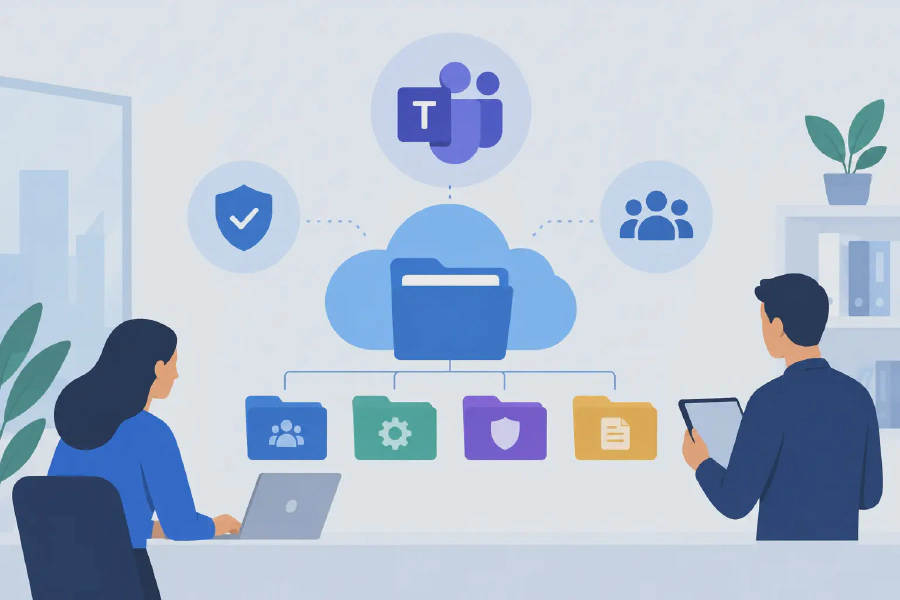
The key is to govern Teams files as part of Microsoft 365, not as an isolated collaboration tool. Every standard channel in Microsoft Teams stores files in the connected SharePoint site. This means file governance decisions about structure, permissions, retention, sensitivity and lifecycle need to work across both platforms.
Start with the governance outcomes you need
Teams file governance should solve real operational and compliance issues. Before setting technical controls, define what good looks like for your organisation. For most mid-market and enterprise environments, that means employees can find the right document quickly, access is limited to the right people, records are retained appropriately, and files are not left behind when a project or team closes.
Avoid a governance model based solely on restriction. If users find the approved process too difficult, they will create workarounds in personal drives, email attachments or unauthorised cloud services. The better approach is to make the compliant path the easiest path.
Your requirements will differ by function. A marketing Team may need broad internal collaboration and rapid publishing. A finance, healthcare or HR Team may require tighter membership controls, stronger document classification and longer retention. One standard does not need to mean one identical configuration for every Team. It means using a consistent set of rules and defined exceptions.
Establish clear ownership before files accumulate
A Team without an active business owner is a future governance problem. Technical administrators can manage the platform, but they should not be responsible for deciding whether a project file remains relevant, who needs access or when a workspace is ready to close.
Each Team should have at least two named owners from the business area. They are accountable for membership, content quality, periodic review and closure decisions. A second owner protects the organisation when someone changes roles or leaves.
Define the distinction between owners, members and visitors in plain language. Owners manage membership and settings. Members collaborate on files. Visitors, where appropriate, receive read-only access through SharePoint rather than being given editing rights by default. This simple model avoids the common mistake of granting broad access merely because it is quicker.
For sensitive areas, add a nominated records, compliance or information management contact. They do not need to approve every document, but they should be involved when the Team handles regulated content, formal policies or material subject to legal or audit requirements.
Create a repeatable Team provisioning process
The fastest way to lose consistency is to allow every employee to create Teams with whatever name, membership model and channel structure they prefer. Self-service creation can still be appropriate, but it should operate within agreed guardrails.
A standard request and provisioning process should capture the Team’s purpose, business owner, classification, expected lifespan and need for external guests. It should also apply a naming convention that makes Teams recognisable in search and administration. Names should identify the business function, project or location without exposing sensitive information.
Templates can provide a useful starting point. For example, a project Team may include channels for delivery, governance and communications, while a department Team may have channels for operational procedures and planning. Templates should be used carefully. Too many pre-created channels create clutter and encourage people to store files inconsistently.
Where possible, automate the provisioning process with Power Automate or an approved request workflow. Automation improves consistency, records approval decisions and reduces the administrative burden on IT. It also gives governance teams a reliable inventory of workspaces from the beginning.
Set practical rules for file structure and metadata
Teams encourages quick collaboration, which is valuable, but it can lead to a channel becoming a dumping ground for every type of document. Standardise where files belong before users need to make the decision under pressure.
Use channels for work that has a clear audience and purpose. Standard channel files are available to Team members through the connected SharePoint document library. Private and shared channels use separate SharePoint sites, so they should be reserved for genuine access requirements rather than created casually. Their separate storage locations can complicate retention, reporting and administration if overused.
Within each channel, keep folders shallow and purposeful. A folder structure may be appropriate for a defined project, such as Contracts, Designs and Meeting Papers. For broader document libraries, metadata and views often provide better long-term findability than nested folders. The right choice depends on the volume of content, the maturity of users and whether documents need to be filtered by attributes such as business unit, status, client or document type.
Document naming conventions also matter. A consistent filename can include the subject, date and version where it supports business use. However, avoid forcing staff to manually add version numbers when SharePoint version history already manages revisions. Manual versions such as “final”, “final final” and “final v8” make it harder to identify the approved record.
Standardise sharing, permissions and external access
File security in Teams is often weakened by small exceptions made over time. A Team owner shares a folder directly, an employee sends an open link, or a guest remains after a project has finished. Governance needs clear defaults and a controlled way to handle legitimate exceptions.
Set organisation-wide rules for link types, expiry and external sharing. Internal sharing should generally use people-specific or organisation-wide links according to the sensitivity of the content. Anonymous links may be unsuitable for many organisations, particularly where files include client, employee, financial or health information.
External collaboration is not inherently risky, but it needs a defined process. Require a business sponsor for guests, review guest access regularly and apply expiry where possible. Ensure owners understand that adding a guest to a Team can provide access to a significant body of content, not just one file.
Use sensitivity labels where they align with your information classification framework. Labels can help apply consistent privacy settings, access controls and visual markings to Teams and documents. They are most effective when staff understand the classifications and can choose the correct label without needing specialist knowledge for routine work.
Apply retention and lifecycle controls that people can follow
Keeping every file forever is not governance. It increases search noise, storage costs, legal exposure and the chance that outdated material will be reused. Equally, deleting information without regard for regulatory, contractual or operational obligations creates obvious risk.
Define retention requirements by content type and business need. Formal records, board papers, clinical documentation, financial records and controlled policies may require different treatment from everyday project working files. Where retention policies are applied, test them carefully to understand how they interact with Teams, SharePoint sites, Microsoft 365 groups and user expectations.
Lifecycle governance should also cover inactive Teams. Establish a review cycle that prompts owners to confirm whether a Team is still active, should be archived, or can be deleted in line with policy. Archiving is often appropriate when work has ended but the content must remain available for reference. It prevents further activity while preserving the workspace.
The process needs ownership and communication. If a Team is archived without warning, staff may recreate it elsewhere. Give owners clear review notices and a simple way to confirm the next action.
Make compliance visible, not assumed
A file being stored in the correct library does not prove that the right people have read or acted on it. This is particularly relevant for policies, procedures, safety updates, quality documents and other material where acknowledgement matters.
For high-value documents, build a controlled publishing and acknowledgement process. Define who can publish, who must review, the intended audience, the review date and what evidence must be retained. A document compliance solution such as Compliance Tracker 365 can support this need by giving organisations visibility of whether critical documents and pages have been seen, read and acknowledged.
This is where file governance becomes more than a storage exercise. It supports accountable communication, demonstrates due diligence and gives managers a clearer view of organisational readiness.
Support adoption with guidance and regular review
Even well-designed governance fails if staff do not understand the rationale. Give Team owners practical guidance at the point of creation and provide short, role-specific instructions for members. Focus on decisions they make every day: where to save a file, when to use a channel, how to share externally and how to identify approved content.
Monitor the environment to identify Teams with no owners, excessive guests, unmanaged sharing links, long-term inactivity or unusually broad permissions. Reporting should lead to constructive conversations, not simply enforcement. In many cases, a Team has become messy because its owners were never shown how to manage it.
A well-governed Teams environment gives people room to collaborate while protecting the information the organisation relies on. Start with a manageable standard, apply it consistently, and refine it as real working practices reveal where more guidance or control is needed.